When working on an AutoCAD Plant 3D network project some data is cached locally to help
minimize network traffic. In some instances, users might encounter unexpected issues with the
project that is not part of the normal workflow. AutoCAD Plant 3D does not normally go through
the cache location and clear all the data when opening and closing a project. As a good rule of
thumb this should be done periodically or even daily as you start your day.
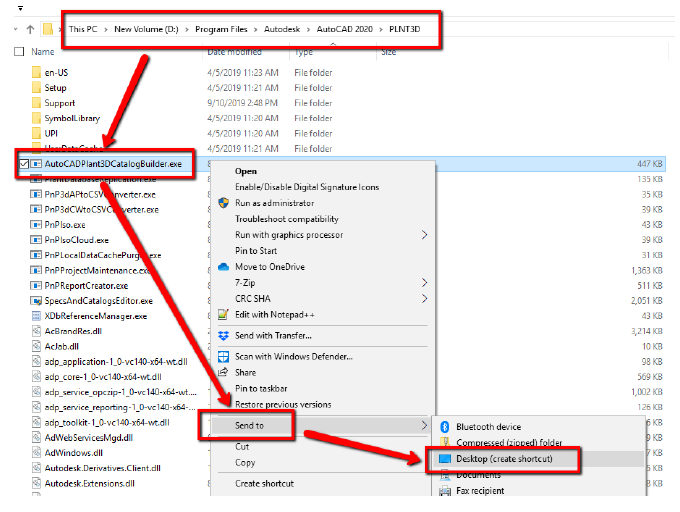
One way you can do this is to create a shortcut to the PnPLocalDataCachePurger.exe on the
user’s desktop for easy access. Typically, this will be where to find the cache purger file,
C:\Program Files\Autodesk\AutoCAD 2020\PLNT3D\ PnPLocalDataCachePurger.exe