Another way to clear residual information that should no loner be part of your AutoCAD Plant 3D
project is to perform an AUDIT. Users new to AutoCAD Plant 3D will be familiar to the normal
AUDIT command. However, AutoCAD Plant 3D includes AUDITPROJECT and PLANTAUDIT.
So, the question will come up on what each of these commands do.
To help determining which audit needs to be used, refer to the explanations below for detail on
what each of them does.
• AUDIT - It is an AutoCAD function and it is totally different from Plant Audit. Evaluates the integrity of a drawing and corrects some errors.
• PLANTAUDIT - Audits and repairs project data and drawing synchronization errors. Run from the command line and it will check for any Plant 3D items in a drawing that are not linked to the project database and delete those items from the drawing. Plant Audit is run automatically every time a drawing file is opened in Plant 3D.
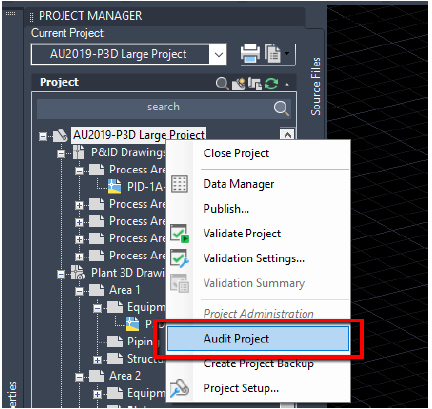
• AUDITPROJECT - Allows project managers or other administrators to evaluate the integrity of a project and corrects errors. Audit Project command from the Project Manager menu will check for discrepancies between the data in the database and the Plant 3D drawing files. Any items of data that are found in the database that are no longer linked to a drawing will be deleted from the database.