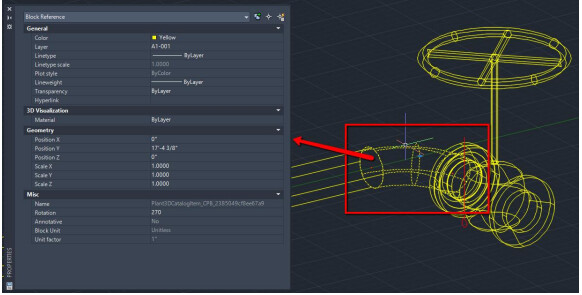
Plant 3D drawings do follow the normal DWG format, project drawings are different. AutoCAD
Plant 3D drawings contain 3D piping components and P&ID drawings contain symbols that have information associated to each item. AutoCAD Plant 3D drawings are data rich drawings that use the database files (DCF) that aid in managing all this information.
One item you might come across is having to share a drawing with someone not using
AutoCAD Plant 3D. A Plant 3D drawing is tied to the project and removing it from the project will cause it to be disconnected from the database files. Sharing a drawing for others to view for reference purposes is quite normal. However, a Plant 3D drawing should not be edited outside of the project then reintroduce to the project as this could cause drawing and database corruption.
There are two methods you can use to give other users the ability to open an AutoCAD Plant 3D outside of the project. Prior to doing this you will need to make sure to download the Object Enabler that corresponds to the version of AutoCAD Plant 3D being used. If you are unsure if an object enabler has been installed, you can access the Windows Control Panel\Programs\Programs and Features to see if is installed.
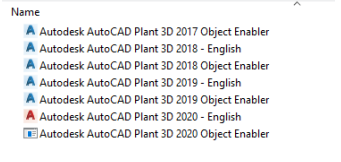
Otherwise when you open the drawing you might see the drawing displayed like this.
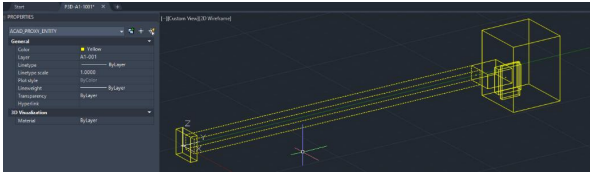
One option to share a drawing would be to copy the drawing from the project and place in
another location. When opening the drawing in AutoCAD with the Object Enabler installed for
Plant 3D, the property information can be seen when selecting components in the drawings.
However, AutoCAD will see these as proxy graphics and you cannot modify them
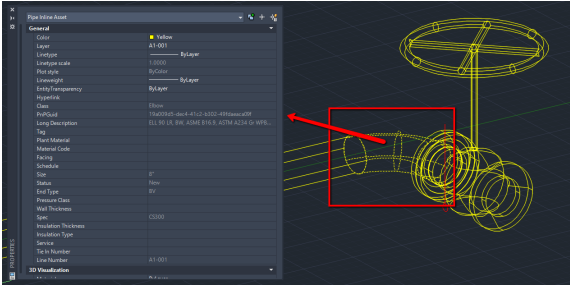
The other option is to use EXPORTTOAUTOCAD command while the project drawing is opened
in AutoCAD Plant 3D. You will be given the prompt to save in a specific location and will save
the drawing in an AutoCAD drawing file format that you can edit. However, this will remove the
drawing from the project’s database and the component information will not be seen in the
properties.